
Every inspection documented.Every photo on file.
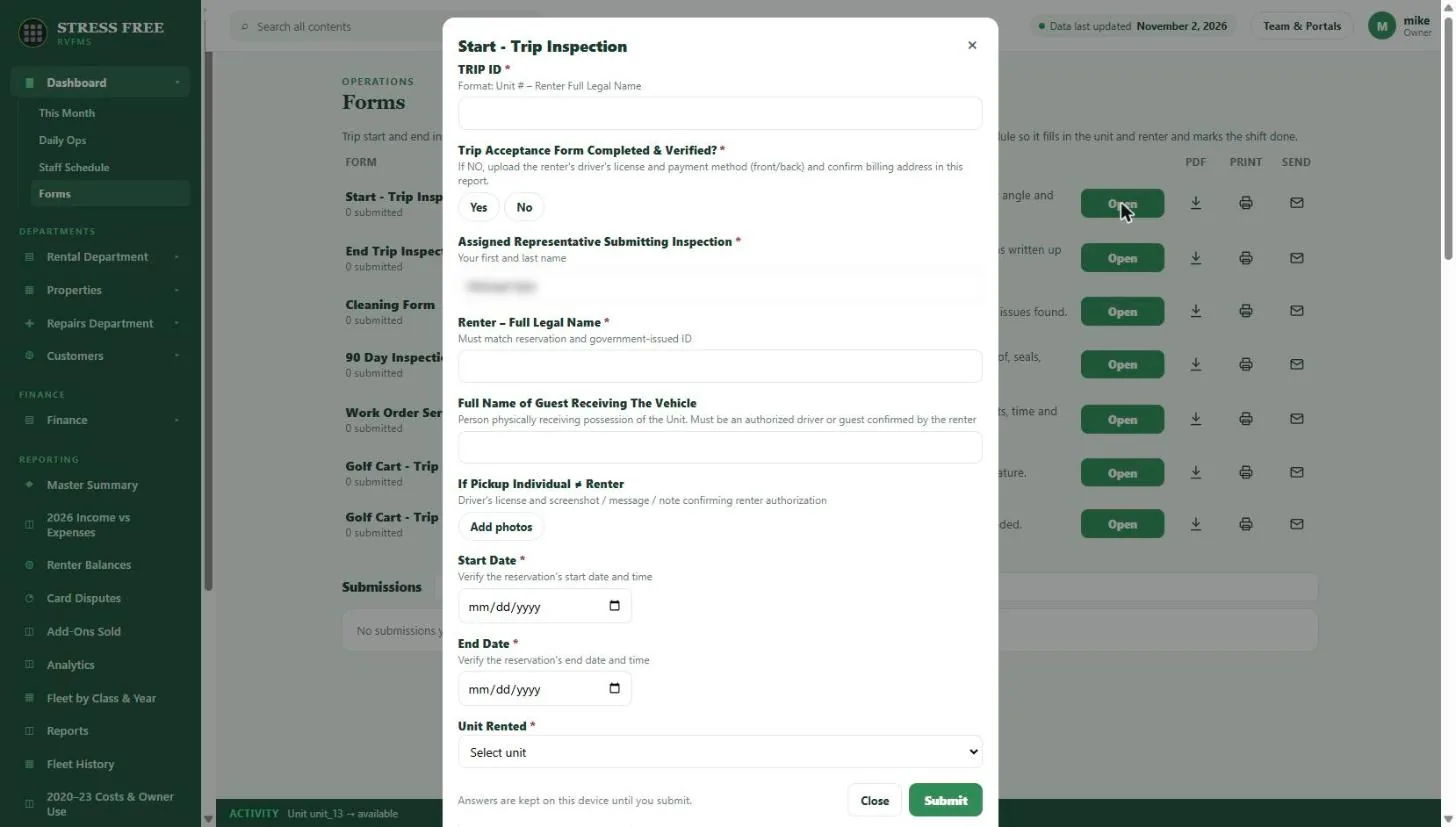
Built-in digital RV inspection forms: trip start, trip end, cleaning, 90-day inspection and work order forms with photos, required fields, PDF, print and email, attached to the booking and the unit.
Paper checklists get lost, photos sit on someone’s phone, and when a renter disputes a damage charge you are digging through a camera roll to prove the scratch was not there before. Inspections that are not tied to the booking are hard to use as evidence.
RVFMS has the forms built in: trip start inspection, end-of-trip inspection, cleaning, 90-day inspection, work order service and golf cart trip forms. Required fields, yes/no checks and photo uploads keep every inspection complete. Forms open from the staff shift, fill in the unit and renter automatically, and can be downloaded as PDF, printed or emailed.
Capabilities
- Trip start, trip end, cleaning, 90-day and work order forms built in
- Required fields, yes/no checks and photo uploads
- Unit, renter and dates filled in from the booking
- Open from the staff shift, which marks the job done
- PDF, print and email for every form
- Submissions stored with the booking and the unit
- Digital signatures on the forms that need them
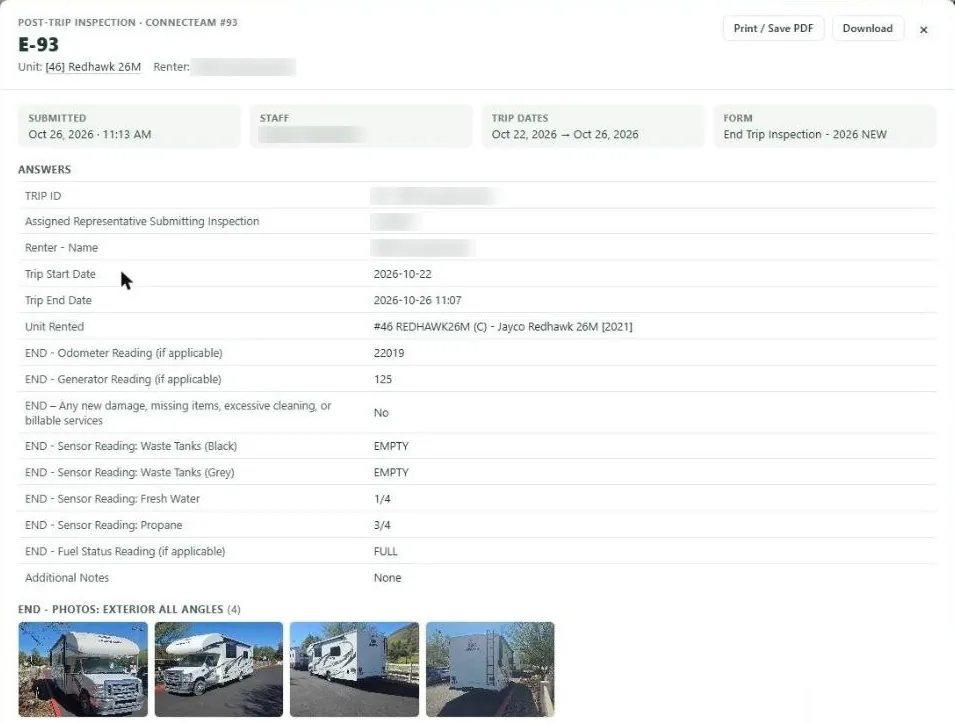
- Time-stamped photos and notes tied to the reservation, the unit and the staff member
- Printable blank forms for trips with no signal, entered later when back online
What you get back
Evidence that holds up
Before and after photos, timestamped and tied to the reservation, settle damage questions.
Consistent walkthroughs
Every rep follows the same checklist, every time.
Issues become work
Problems found on inspection go straight to the service queue instead of a text message.
Digital inspections and forms: FAQ
Do inspections work on a phone?
Yes. RVFMS runs in the browser and can be installed to a phone home screen, so reps fill forms and add photos on the lot.
Can I print or email a completed form?
Every form can be downloaded as PDF, printed or emailed.
Can I use my own forms?
The standard forms are built in. Custom forms are set up with you during onboarding.
See it with your own fleet.
We will walk through digital inspections and forms using your units, your channels and the way you already work.